<?xml version="1.0" encoding="ISO-8859-1"?>
<rdf:RDF xmlns:rdf="http://www.w3.org/1999/02/22-rdf-syntax-ns#" xmlns:ref="http://purl.org/rss/1.0/modules/reference/" xmlns:dc="http://purl.org/dc/elements/1.1/" xmlns="http://purl.org/rss/1.0/">
	<channel rdf:about="https://netzherpes.de/blog/rss.rdf">
		<title>  netzherpes  -  lassen sie mich arzt, ich bin durch</title>
		<link>https://netzherpes.de/blog/index.php</link>
		<description><![CDATA[1) Der Ausdruck 'diwers' stammte aus dem Almanach, den sie jeden Abend las: Er kündigte immerzu 'diwerse Seuchen' und 'diwerses Unglück' an. Oma Wetterwachs wusste nicht genau was damit gemeint war, aber ihr gefiel der Klang des Wortes. (T. Pratchett, Das Erbe des Zauberers)]]></description>
		<items>
			<rdf:Seq>
				<rdf:li resource="https://netzherpes.de/blog/index.php?entry=entry210909-100424" />
				<rdf:li resource="https://netzherpes.de/blog/index.php?entry=entry210906-095554" />
				<rdf:li resource="https://netzherpes.de/blog/index.php?entry=entry210612-154636" />
				<rdf:li resource="https://netzherpes.de/blog/index.php?entry=entry200817-164637" />
				<rdf:li resource="https://netzherpes.de/blog/index.php?entry=entry191214-182651" />
				<rdf:li resource="https://netzherpes.de/blog/index.php?entry=entry190525-083708" />
				<rdf:li resource="https://netzherpes.de/blog/index.php?entry=entry190423-180520" />
				<rdf:li resource="https://netzherpes.de/blog/index.php?entry=entry190201-081538" />
				<rdf:li resource="https://netzherpes.de/blog/index.php?entry=entry190129-180854" />
				<rdf:li resource="https://netzherpes.de/blog/index.php?entry=entry180102-154829" />
			</rdf:Seq>
		</items>
	</channel>
	<item rdf:about="https://netzherpes.de/blog/index.php?entry=entry210909-100424">
		<title>How to give your gameboycamera pictures a nicer palette</title>
		<link>https://netzherpes.de/blog/index.php?entry=entry210909-100424</link>
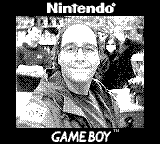
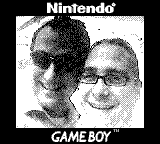
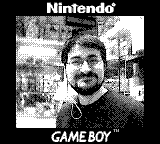
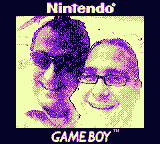
		<description><![CDATA[<img src="https://www.netzherpes.de/blog/images/2021gb_fabian.png" width="160" height="144" alt="" id="img_float_left" /><img src="images/fab_col.png" width="160" height="144" alt="" id="img_float_right" />This is a little excurse in how to get a nicer color into your gameboy camera pictures.<br />The original pictures have a fixed 4 color greyscale palette. For example black, dark grey, light grey and white (or in values: #000000 #555555 #AAAAAA and #FFFFFF).<br /><br />To make this more eye friendly, you can use any paint program to alter the colors. Very easy to use is the online pixel editor of lospec. ( <a href="https://lospec.com/pixel-editor/app" >https://lospec.com/pixel-editor/app</a> )<br />They even offer some pretested Gameboy palettes. ( <a href="https://lospec.com/palette-list/tag/gameboy" >https://lospec.com/palette-list/tag/gameboy</a> )<br /><br />The more elegant way is to change all pictures with one line of code.<br />I suggest you first find a palette that does not hurt your eyes.<br /><br />Now we need a translation table in the format <br /><pre>#000000 #060329<br />#555555 #8D25DF<br />#AAAAAA #EC93C9<br />#FFFFFF #F2FFB0<br /></pre>#inputcolor #outputcolor  - for all 4 colors (use a color picking tool or see the instructions below if you are very lazy...)<br /><br />Save this table to a file called <strong>mapped.txt </strong><br /><br />Now you can use the excellent script  called &#039;mapcolors&#039; <a href="http://www.fmwconcepts.com/imagemagick/mapcolors/index.php" >http://www.fmwconcepts.com/imagemagick/ ... /index.php</a><br /><pre>./mapcolors -m -f mapped.txt original.png colorized.png</pre>This produces a colorful picture out of any original greyscaled gameboy picture... <strong>tadaaaaa</strong><br /><br />As I am not happy with the manual solution, I use the command line to obtain the color values and write the table...:<br /><br />1. Extract the colors of a picture with one line of imagemagicks &#039;convert&#039; tool:<br /><pre>convert colorized.png -unique-colors -scale 1000% palette.png</pre>This outputs a little &#039;palette.png&#039; just containing the 4 colors. <img src="images/gbpal3.png" width="40" height="10" alt="" /><br /><br />2. The used colors in your palette can be cut out by <br /> <pre>identify -verbose palette.png |grep 100 | cut -d &quot; &quot;  -f7 |cut -c -7 |sort</pre>Do this for the original picture and the eyefriendly picture. Now we have four original color values (#000000 #555555 #AAAAAA and #FFFFFF ) that have to be changed to the new ones in our examlpe above ( #060329 #8D25DF #EC93C9 #F2FFB0 )<br /><br />3. Save both, the original and the new color map into files and merge them.<br /><pre>paste -d\  original.txt neu.txt &gt;mapped.txt</pre><br />4. And here is the final solution: extract the colors and create the table <font size=-2">all you need are the original.png and colorized.png</font> :<br /><pre>convert original.png -unique-colors -scale 1000% originalpalette.png<br />convert colorized.png -unique-colors -scale 1000% palette.png<br />identify -verbose originalpalette.png |grep 100 | cut -d &quot; &quot;  -f7 |cut -c -7 |sort &gt;original.txt<br />identify -verbose palette.png |grep 100 | cut -d &quot; &quot;  -f7 |cut -c -7 |sort &gt;neu.txt<br />paste -d\  original.txt neu.txt &gt;mapped.txt</pre><strong>The new file is the Translation Table </strong><br /><br />I&#039;ve spend too much time on this :D]]></description>
	</item>
	<item rdf:about="https://netzherpes.de/blog/index.php?entry=entry210906-095554">
		<title>Übertragen von Bildern der Gameboy Camera Teil 4</title>
		<link>https://netzherpes.de/blog/index.php?entry=entry210906-095554</link>
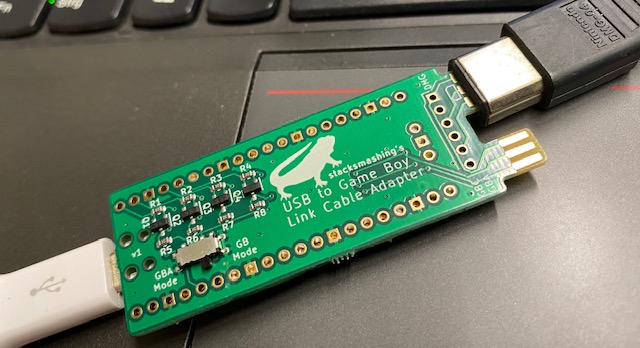
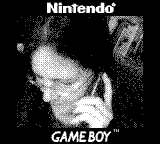
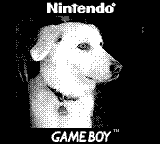
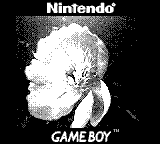
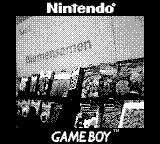
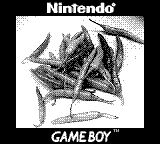
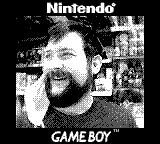
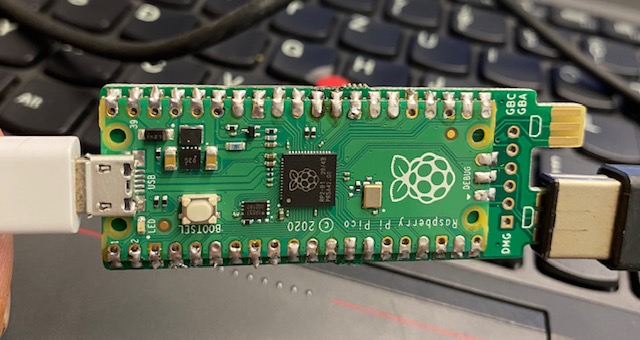
		<description><![CDATA[Und der gefühlt 10. Eintrag zu einem meiner Lieblings Themen:<br />Die Gameboy Camera und wie man die Bilder auf einen modernen PC überspielt<br /><br />Siehe <a href="https://www.netzherpes.de/blog/index.php?entry=Back-on-Track" >Teil 1</a>, <a href="https://www.netzherpes.de/blog/index.php?entry=%DCbertragen-von-Bildern-der-Gameboy-Camera-Teil-2" >Teil 2</a> und <a href="https://www.netzherpes.de/blog/index.php?entry=entry200817-164637" >Teil 3</a><br /><br />In einem meiner letzten Beiträge berichtete ich über den <a href="https://www.netzherpes.de/blog/index.php?entry=The-USB2GameBoy-Link-Cable" >USB to Gameboy Link Cable adapter</a> , ein kleines Pi-pico getriebenes Gerät, welches die Signale aus dem Gameboy Link Kabel in den USB bus übersetzt. Es wurde benutzt um Tetris gegen den Rest der Welt zu spielen. <img src="https://www.netzherpes.de/blog/images/usb2gb_FRONT.jpg" width="640" height="348" alt="" /><br /><br />Die logische Schlußfolgerung ist natürlich das &quot;drucken&quot; von Gameboy Camera Bildern. <br />Auf der Website <a href="https://printer.stacksmashing.net" >https://printer.stacksmashing.net</a> befindet sich ein Druckeremulator und die passende Firmware für den Pi pico. <br /><br /><strong>Das ist mit Abstand die einfachste Art Gameboy Bilder auf einen modernen PC zu bekommen. </strong><br /><br />Hier ein paar Schnappschüsse:<br /><br /><img src="images/2021gb_anna.png" width="160" height="144" alt="" /><img src="images/2021gb_barek.png" width="160" height="144" alt="" /><img src="images/2021gb_blume.png" width="160" height="144" alt="" /><img src="images/2021gb_blumen.png" width="160" height="144" alt="" /><img src="images/2021gb_chefe.png" width="160" height="144" alt="" /><img src="images/2021gb_chili.png" width="160" height="144" alt="" /><img src="images/2021gb_dave.png" width="160" height="144" alt="" /><img src="images/2021gb_fabian.png" width="160" height="144" alt="" /><img src="images/2021gb_gb_link.png" width="160" height="144" alt="" /><img src="images/2021gb_gbcol.png" width="160" height="144" alt="" /><img src="images/2021gb_hamza.png" width="160" height="144" alt="" /><img src="images/2021gb_handschuh.png" width="160" height="144" alt="" /><img src="images/2021gb_kraeuter.png" width="160" height="144" alt="" /><img src="images/2021gb_laden.png" width="160" height="144" alt="" /><img src="images/2021gb_marijanna.png" width="160" height="144" alt="" /><img src="images/2021gb_meer.png" width="160" height="144" alt="" /><img src="images/2021gb_mozart.png" width="160" height="144" alt="" /><img src="images/2021gb_samenandreas.png" width="160" height="144" alt="" /><img src="images/2021gb_sara.png" width="160" height="144" alt="" /><img src="images/2021gb_steffen.png" width="160" height="144" alt="" /><img src="images/2021gb_thomas.png" width="160" height="144" alt="" /><br /><br />Die Bilder haben die typischen vier Farben. Beim Hochladen nach twitter etc. werden diese Bilder leider in jpg mit ihrer Kompression umgewandelt und sogar skaliert( - ein generelles Problem bei Pixelart!). Sieht echt mies aus. Aber es gibt eine Lösung: png&#039;s mit Alphakanal und Tranzparenz werden nicht umgewandelt.... Um euch das Leben einfacher zu machen gibt es ein tolles Webtool, welches das übernimmt: <br /><a href="https://lospec.com/pixel-art-uploader/" >https://lospec.com/pixel-art-uploader/</a><br /> <br />Viel Spass, bleibt kindisch,<br /><br />So long, euer<br />webdoktor<br />]]></description>
	</item>
	<item rdf:about="https://netzherpes.de/blog/index.php?entry=entry210612-154636">
		<title>The USB2GameBoy Link Cable</title>
		<link>https://netzherpes.de/blog/index.php?entry=entry210612-154636</link>
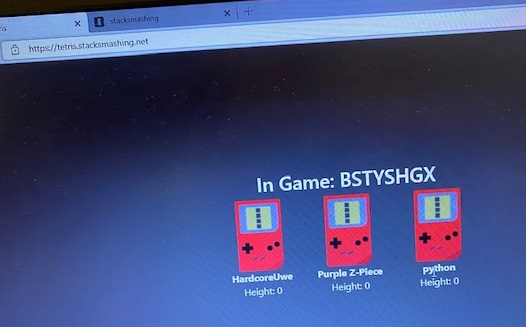
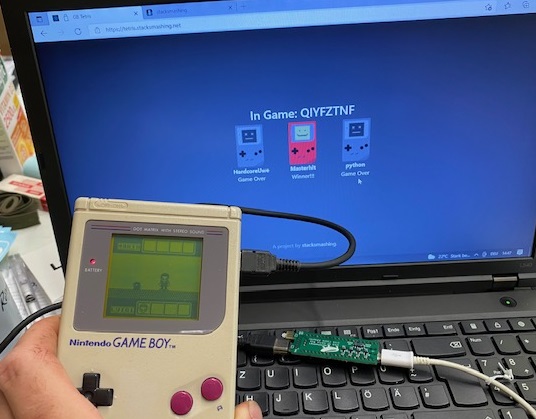
		<description><![CDATA[<h2>... and how to play the original Gameboy Tetris against players in the whole world.</h2><br />Dear Ladies and Gentlemen, I introduce to you the <br /><center><h1>USB to GameBoy Link Cable</h1></center><br /><img src="images/usb2gb_FRONT.jpg" width="640" height="348" alt="" /><img src="images/USB2GB_rear.jpg" width="640" height="340" alt="" /><br /><br />This little adapter (a 4$ RaspberryPi pico equipped<a href="https://gumroad.com/l/gb-link" > with some levelshifters and the plug for</a> the Link Cable) makes it possible to connect to a server, where players around the globe can compete.<br />The creator, <a href="https://stacksmashing.net/" >Stacksmashing</a>, offers prebuild pcb&#039;s where you only have to solder the <a href="https://www.raspberrypi.org/products/raspberry-pi-pico/" >RaspberryPi Pico</a>.<br /><div class="fluidMedia"><iframe width="560" height="315" src="https://www.youtube.com/embed/KtHu693wE9o" title="YouTube video player" frameborder="0" allow="accelerometer; autoplay; clipboard-write; encrypted-media; gyroscope; picture-in-picture" allowfullscreen></iframe></div><br /><br />Do I need to say that I ordered the Hardware immediately? <br />Soldering was straight forward and easy, and would be even for beginners and programming the PiPico is literally just drag and drop. <br />After connecting the hardware you have to visit the site <a href="https://tetris.stacksmashing.net/" >https://tetris.stacksmashing.net/</a> with the chrome or edge browser (as they allow webUSB).<br /><br />Your running Tetris game will automatically be detected, and you can join or create a round. Finding opponents works for example through the inventors discord channel ( <a href="https://discord.gg/YASkVQY5Pr" >https://discord.gg/YASkVQY5Pr</a> ). Really nice people are awaiting other players.<br /><img src="images/3gb_players.jpg" width="526" height="327" alt="" /><br />A round can host up to 6 players at once.<br /><br />It is really a fun toy with hopefully more applications to come.<br />Ach so: I won, <br /><br /><img src="images/3players_won.jpg" width="536" height="419" alt="" /><br /><br />Stay childish<br />Yours,<br />WebDoc<br />]]></description>
	</item>
	<item rdf:about="https://netzherpes.de/blog/index.php?entry=entry200817-164637">
		<title>3DS Homebrew, Gameboy Emulator and new Gameboy Camera Adventures</title>
		<link>https://netzherpes.de/blog/index.php?entry=entry200817-164637</link>
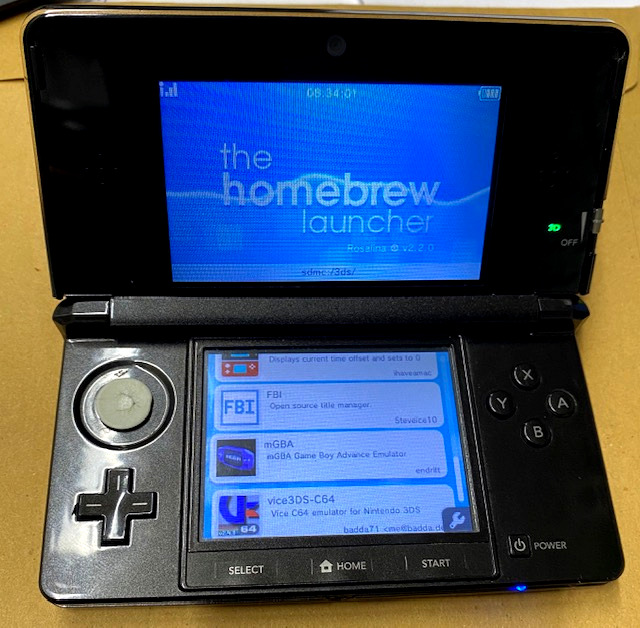
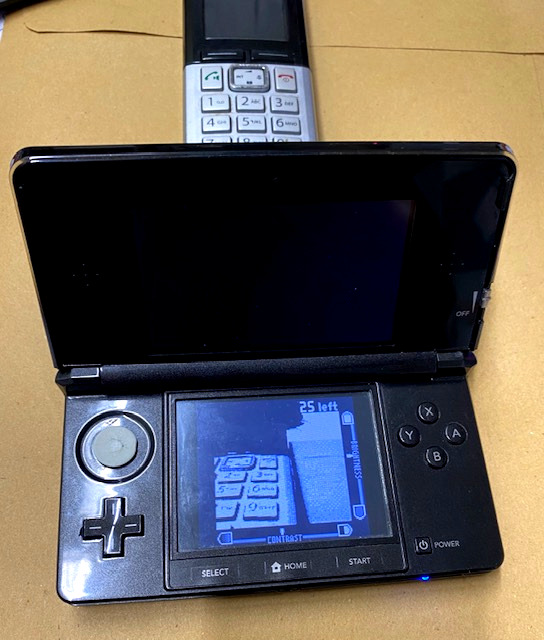
		<description><![CDATA[My weekend was filled (successfully) with Nintendo 3DS Adventures.<br />Since long time I&#039;ve wanted to change the original firmware of my Nintendo 3DS to a custom one, mostly to use the old black brick for <a href="https://www.3dbrew.org/wiki/Homebrew_Applications" >Homebrew Software</a> and emulation purposes. (No new Games released since a long time anyway, so, hey, why not.)<br /><a href="https://3ds.hacks.guide/de_DE/" >https://3ds.hacks.guide/de_DE/</a><br />On this site, every single step is explained. There is nearly (*) nothing you can do wrong if you can read.<br /><font size="-2">(*) I had to get a new Nintendo ID and reset my 3DS to get the MagicSeed. 2nd problem was that one directory needed to have two entries...completely silly, but I got it after a while (Godmode9.firm in luma/payloads/ just needed to be copied)</font><br /><br />The whole thing took about 2 hours of reading, downloading, computing the magic seed, and so on. <br /><br /><img src="images/3ds_homebrew_screen.jpg" width="300" height="294" alt="" /><br /><br />I&#039;ve installed mGBA, a Gameboy emulator for gb, gbc and gba games and noticed in the configuration menu that there is the option to enable a camera....  well I gave it a try and guess what:<br /><br /><img src="images/3ds_gbcam_live.jpg" width="300" height="353" alt="" /> <img src="images/GameBoy_Camera_emulated.png" width="160" height="144" alt="" /><br />If the Game Boy Camera Cartridge is loaded, you can emulate the Gameboy Camera completely on your 3DS. <br /><br />And the pictures are stored in the Save file on the SD Card, which can be extracted using this little online tool:<br /><a href="https://www.raphnet.net/programmation/gbcam2png/gbcamtool.html" >https://www.raphnet.net/programmation/gbcam2png/gbcamtool.html</a><br /><br /><a href="javascript:openpopup('images/gbcam_emuliert2.jpg',923,784,false);"><img src="images/gbcam_emuliert2.jpg" width="923" height="784" alt="" /></a><br /><br />HA! It&#039;s getting <a href="https://www.netzherpes.de/blog/index.php?entry=Back-on-Track" >easier </a>every<a href="https://www.netzherpes.de/blog/index.php?entry=%DCbertragen-von-Bildern-der-Gameboy-Camera-Teil-2" > time </a>to use the GB Camera with modern PC :D <br /><br />So long, <br />Euer Webdoktor<br /><br />]]></description>
	</item>
	<item rdf:about="https://netzherpes.de/blog/index.php?entry=entry191214-182651">
		<title>Übertragen von Bildern der Gameboy Camera Teil 2</title>
		<link>https://netzherpes.de/blog/index.php?entry=entry191214-182651</link>
		<description><![CDATA[Ich habe wenn ich mich nicht irre schon einmal von meiner<a href="https://www.netzherpes.de/blog/index.php?entry=Back-on-Track" > Gameboy Camera </a>erzählt. Um die Bilder von dem Kameraaufsatz zu holen habe ich mir seinerzeit ohne viel Aufwand ein Adapterkabel gebastelt, welches mit einer uralt Software unter DOS angesteuert wird. Diese DOS Software ist eine Art Drucker Emulator (es gab mal einen kleinen Thermodrucker für den Gameboy)<br />Leider ist die Verbindung Gameboy &lt;-&gt; DOS instabil und es braucht immer mehrere Versuche ein Bild runterzuladen. Ausserdem ist das Bild dann auf einem DOS Rechner und nicht auf meinem modernen PC um es weiter zu bearbeiten.<br /><br />Vor ein paar Tagen bin ich über eine andere Art der Datenübertragung gestoßen: Es gab mal einen Aufsatz namens <strong>&quot;Transfer Pak&quot;</strong> für den Nintendo N64 mit dem man Speicherstände u.ä. von einem Gameboy Pokemon Cart auf den N64 zu übertragen.<br /><br /><a href="javascript:openpopup('images/transferpak.JPG',480,640,false);"><img src="images/transferpak.JPG" width="480" height="640" alt="" /></a><br /><br />Findige Programmierer haben weiterhin eine kleine Software gebaut um nicht nur Pokemon Daten auszulesen, sondern nahezu alles, was eingelegt wird. Und da ich über einen dieser SD Kartenadapter für den N64 (Everdrive64, ED64 V2.5) verfüge, habe ich dem ganzen mal eine Chance gegeben. Der Weg ist nung folgender: GB Cam -&gt; N64 -&gt; SD Card -&gt; PC<br /><br /><a href="javascript:openpopup('images/gb64_0633.JPG',480,640,false);"><img src="images/gb64_0633.JPG" width="480" height="640" alt="" /></a><br /><br />Probleme: ALLE Links auf die aktuelle Version des N64 Programs sind tot.<br />Der Programierer saturnu hat sie auf ganz komische Filehoster verteilt, die alle nicht mehr existieren.<br /><br />Ich habe in einem Forum letztendlich doch noch einen Link zu einer neuen Version gefunden, ältere Versionen lesen keine GB Camera Carts!<br /><br />Ist es einmal gestartet, kann man die Inhalte auf der SD Card abspeichern.<br /><br /><a href="javascript:openpopup('images/gb64_dumping.JPG',480,640,false);"><img src="images/gb64_dumping.JPG" width="480" height="640" alt="" /></a><br /><br />Da das Programm nahezu verschwunden zu sein scheint, hier die letzte Version von <a href="https://netzherpes.de/gb64_v0633.zip" >gb64_v0633 </a> (für Everdrive V 2 &amp; 2.5) <br />@saturnu: Wenn du das nicht OK findest, schreibe mir eine Mail! Es ist Dein Werk und Du darfst entscheiden was damit passiert.<br /><br />Bekannte Probleme: <br />Es erscheint (off) hinter &quot;write ram&quot;<br /> Lösung: die hier liegende Programmversion nutzen!<br />Es steht nicht der Name des GB Carts da, sondern &quot;check connection&quot;<br /> Lösung: Die Kontakte sind nicht die Besten. N64 aus, blasen und wieder an machen. In den Hilfestellungen der Foren war die Rede von Cart 1mm rausziehen, z drücken und software neu starten (N64 darf an bleiben bei dieser Version) <br /><br /><br /><a href="javascript:openpopup('images/nils_gb_2020.png',1280,1120,false);"><img src="images/nils_gb_2020.png" width="1280" height="1120" alt="" /></a><br /><br />so long<br />webdoc]]></description>
	</item>
	<item rdf:about="https://netzherpes.de/blog/index.php?entry=entry190525-083708">
		<title>Use your original Game Boy as Pc Joystick / Mouse</title>
		<link>https://netzherpes.de/blog/index.php?entry=entry190525-083708</link>
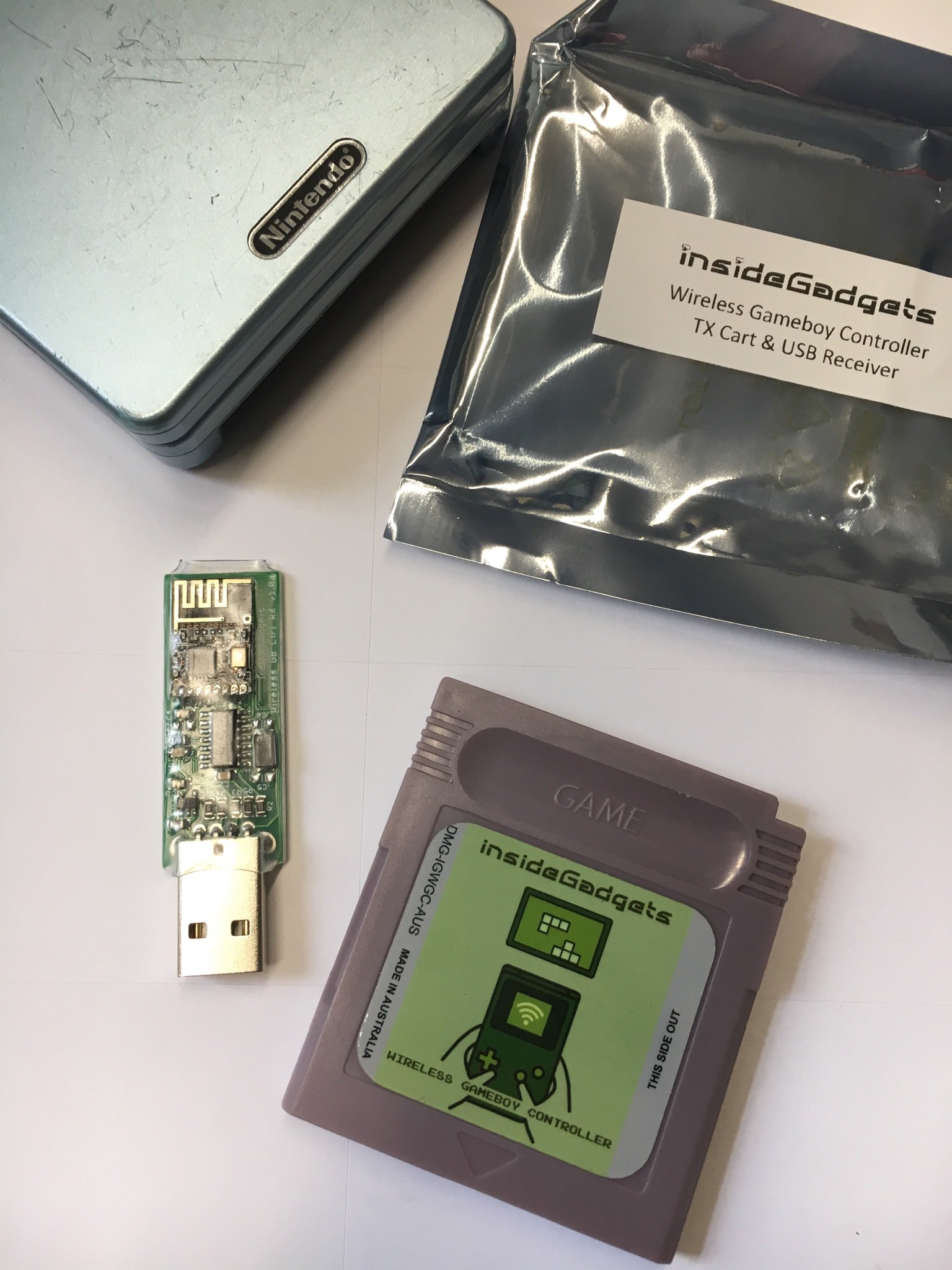
		<description><![CDATA[Ich bin auf Twitter auf ein lustiges GameBoy Gadget aufmerksam geworden: Ein GB Cartridge mit Sender und ein USB Empfäger der die Eingaben des Game Boys als PC Joystick weitergibt.<br /><br /><img src="images/gb_joystick.jpg" width="1536" height="2048" alt="" /><br /><br />Dadurch werden Emulatorspiele wirklich mit dem original haptischen Feeling spielbar. Das ganze ist Plug and Play und <a href="https://shop.insidegadgets.com/product/wireless-gameboy-controller/" >hier </a>erhältlich.<br /><br />Um dem Ganzen noch einen drauf zu setzen, kann man das kostenlose <a href="http://atzitznet.no-ip.org/Joy2Mouse3/" >Joystick2Mouse</a> Programm installieren, der aus jedem x beliebigen Joystick eine Mouse macht.<br /> <iframe width="560" height="315" src="https://www.youtube.com/embed/puBleJ4jzss" frameborder="0" allow="accelerometer; autoplay; encrypted-media; gyroscope; picture-in-picture" allowfullscreen></iframe><br />]]></description>
	</item>
	<item rdf:about="https://netzherpes.de/blog/index.php?entry=entry190423-180520">
		<title>To all the Mario Freaks out there</title>
		<link>https://netzherpes.de/blog/index.php?entry=entry190423-180520</link>
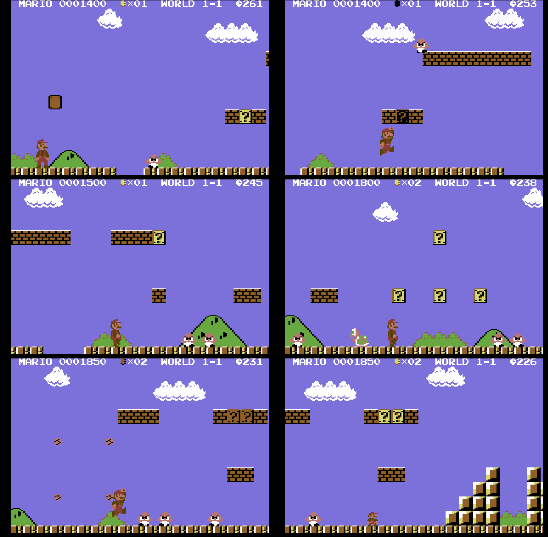
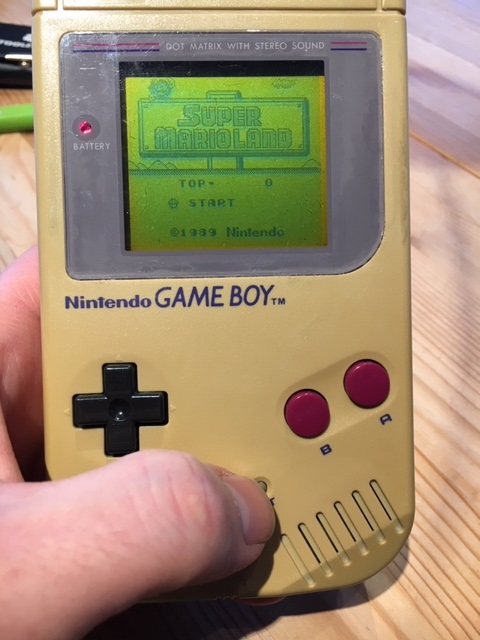
		<description><![CDATA[Dieses Wochenende hatte es in sich: <br /><br />Alle die Super Mario noch aus seinen Anfangstagen kennen konnten sich auf zwei exclusive Schmankerl freuen:<br /><br />Der erste und perfekte Portierung von Super Mario Bros (NES) auf den C64<br />mit CPU erkennung und dual sid sound <a href="https://csdb.dk/release/?id=176968" >https://csdb.dk/release/?id=176968</a><br /><br /><img src="images/mario_c64.gif" width="274" height="179" alt="" /><br /><br /><br />Sowie dem Deluxe Hack des Gameboy Klassikers Super Mario Land zum farbigen Spektakel:<br /><a href="http://www.romhacking.net/reviews/4212/" >http://www.romhacking.net/reviews/4212/</a><br /><br /><div class="fluidMedia"><iframe width="560" height="315" src="https://www.youtube.com/embed/Xe2eagnBV-0" frameborder="0" allow="accelerometer; autoplay; encrypted-media; gyroscope; picture-in-picture" allowfullscreen></iframe></div>]]></description>
	</item>
	<item rdf:about="https://netzherpes.de/blog/index.php?entry=entry190201-081538">
		<title>Kaum zu glauben...</title>
		<link>https://netzherpes.de/blog/index.php?entry=entry190201-081538</link>
		<description><![CDATA[Als ich vorgestern von der Arbeit nach Hause kam begrüßte mich mein Jüngster freudestrahlend und erzählte, sein Opa hätte im Keller etwas gefunden, das mir gehöre.<br />Ein Game Boy von 1989 mit vielen meiner alter Spiele.<br />Ich habe den Keller meiner Eltern schon mehrmals durchsucht und ausser ein paar Link-Kabeln nichts gefunden, aber auf die Idee bei meinem Schwiegervater in der alten Wohnung mal zu schauen, bin ich nicht gekommen. <br /><br />Und das war nicht irgendein Game Boy, nein, das war mein <em>Erster</em>. Gekauft von meinem Taschengeld, als ich 14 war.<br /><br />Das Gehäuse war (ist) stark vergilbt, die Batterien waren ausgelaufen, die Frontscheibe abgefallen. Aber ich habe mich wahnsinnig über das Ding gefreut.<br />Funktionsfähig war es nicht... kein Wunder bei dem Pilz auf den Batteriekontakten.<br />Am nächsten morgen habe ich ihn komplett auseinandergenommen und alles waschbare in die Spülmaschine gestopft, alles andere mit viel Ballistol, Schmirgelpapier und Alkohol wieder poliert.<br /><br />Und siehe da: Er sprang an \o/<br /><br />Das Display hat stark gelitten und viele vertikale Linien sind ausgefallen, gut 1/3. Also wieder auseinandernehmen, Moosgummi vom unteren Displayrand entfernt und vorsichtig mit einem Lötkolben das Plastikflachkabel wieder ans Display gelötet (schaut auf Youtube, da gibt es eine Anleitung). Perfekt. Alle Lines wieder da.<br /><br />Am Abend, als ich dann das erste Spiel testen wollte die nächste Enttäuschung: Kein Sound. <br />Hatte ich ein Kabel abgeklemmt? Ist der kleine Lautsprecher kaputt?<br />Nein, viel einfacher: Die Kopfhörerbuchse unterbricht den Frontlautsprecher bei eingestecktem Ohrenstöpsel. Und die ausgelaufene Batterie hat die Metallzunge, die beim Einstöpseln gelöst wird verpilzen lassen.<br /><br />Also Kopfhörer rein und mit einem hauchdünnen Messer die Kontakte freigekrazt. Taddaaaaa... Jetzt tönt er wieder<br /><br />Ha! Geil.<br /><br /><img src="images/Gameboymutter.jpg" width="480" height="640" alt="" /><br /><br />Happy.<br /><br />webdoktor]]></description>
	</item>
	<item rdf:about="https://netzherpes.de/blog/index.php?entry=entry190129-180854">
		<title>Wonky and wobbly Game Boy cartridge slots - The &#039;business card trick&#039;</title>
		<link>https://netzherpes.de/blog/index.php?entry=entry190129-180854</link>
		<description><![CDATA[Lately I noticed that all of my gameboy cartridges seem to be loose in the cartridge slots. Not a lot, just wobbling 1/2 a mm or so, but enough to let a game freeze. This isn&#039;t a problem with (back then) new Game Boys, but the contacts of the slot lose their tension and the circuits are interrupted for milliseconds.<br /><br />The Solution is <em>very</em> simple: insert a thicker business card right under the cartridge (smaller side) when setting it in. It fixes the cart enough to not wiggle anymore at all.<br /><a href="javascript:openpopup('images/Gameboy_Cart_slot1.JPG',800,1067,false);"><img src="images/Gameboy_Cart_slot1.JPG" width="800" height="1067" alt="" /></a><a href="javascript:openpopup('images/Gameboy_Cart_slot2.JPG',800,1067,false);"><img src="images/Gameboy_Cart_slot2.JPG" width="800" height="1067" alt="" /></a><br />Problem solved<br /><br />]]></description>
	</item>
	<item rdf:about="https://netzherpes.de/blog/index.php?entry=entry180102-154829">
		<title>Handheld Rom Hacking</title>
		<link>https://netzherpes.de/blog/index.php?entry=entry180102-154829</link>
		<description><![CDATA[Der Jahreswechsel ist für mich Retrofutzi ein Fest!<br />Neben den C64 Krachern Luftrauserz und Sam&#039;s Journey habe ich diese Woche noch 2 weitere Perlen entdeckt:<br /><br /><a href="http://www.romhacking.net/hacks/3784/" >Super Mario 2 - Six golden Coins DX</a><br /><a href="http://www.newerteam.com/ds/" >und Newer Super Mario Bros DS</a><br /><br />Es handelt sich beim Ersten um einen Verfarbung des Gameboy Klassikers Mario2, jetzt Spielbar ohne Ruckler und in Farbe auf dem Gameboy Color (bzw. Advance)<br />Der zweite Hack betrifft das Spiel New Super Mario DS, welches komplett umgeschrieben wurde - Neue Levels, neue alte Gegner, usw.<br /><br />In beiden Fällen benötigt man ein lauffähiges Original ROM, welches mit Hilfe eines Programs umgeschrieben wird (planetemu hilft ;) )<br />Ich besitze natürlich die original Cartridges! ernsthaft!<br />Die so gepatchten Roms werden dann auf ein Multicart gezimmert oder im Emulator gespielt.<br /><br /> Einfach nur WOW .!.<br />Seht selbst:<br /><br /><a href="javascript:openpopup('images/romhacking.JPG',3264,2448,false);"><img src="images/romhacking.JPG" width="3264" height="2448" alt="" /></a><br /><br />Viel Spass, bleibt kindisch auch im Neuen Jahr!<br />der webdoktor]]></description>
	</item>
</rdf:RDF>